WebTunnels
WebTunnels are a modern Tor bridge designed to bypass network censorship.
By disguising Tor traffic as standard HTTPS web traffic, WebTunnels allow Haveno to connect even in environments where Tor is actively blocked.
Obtain WebTunnel Bridges
To use this feature, you must first obtain bridge addresses from the Tor Project.
- Visit bridges.torproject.org.
- Click 'Get Bridges'.
- Select 'webtunnel' from the drop down selection.
- Complete the CAPTCHA if necessary to reveal your bridge addresses.
- Copy the provided addresses (it will look like webtunnel 10.0.0.1:443...)
Configure Haveno to use WebTunnels

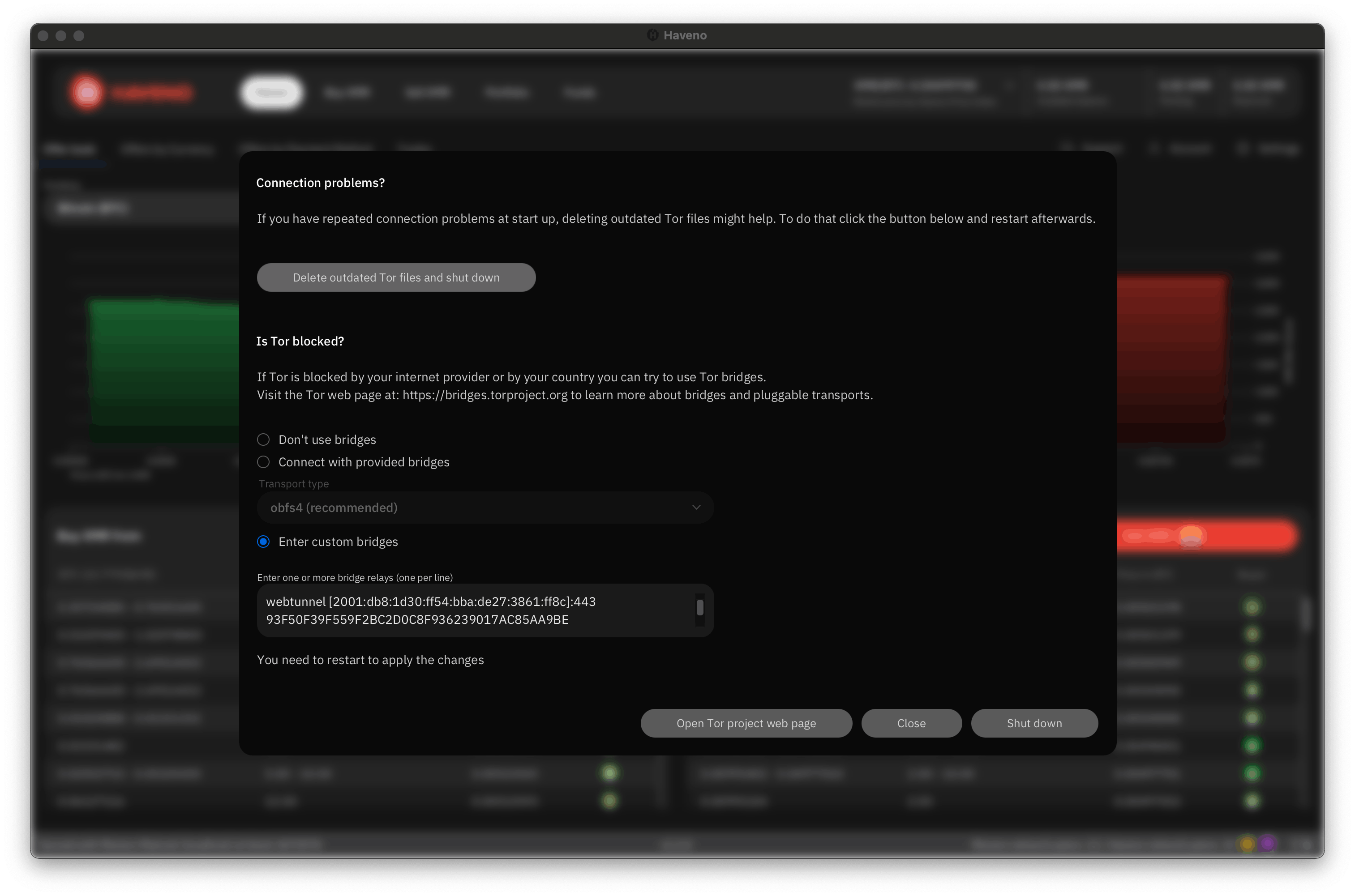
- Open the network settings menu from Settings > Network Info > Open Tor settings or click the onion icon in the bottom right.
- Paste the webtunnel addresses into the custom bridges.
- Restart Haveno for the changes to take effect.